In this section you can find some of the software that I developed either during my undergrad studies, collaboration with the European Space Agency, NVIDIA or for my PhD.
AquilaAquila 2.0, an open-source cross-platform software architecture for cognitive robotics that makes use of independent heterogeneous CPU-GPU modules with loosely coupled dynamically generated graphical user interfaces.
Publications
M. Peniak, A. Morse and A. Cangelosi (2013). Aquila 2.0: Software Architecture for Cognitive Robotics. International Joint Conference on Development and Learning (ICDL) and Epigenetic Robotics (ICDL-EPIROB) 2013. Osaka, Japan, August 18-22, 2013. (download pdf)
M. Peniak, A. Morse, C. Larcombe, S. Ramirez-Contla and A. Cangelosi (2011). Aquila: An Open-Source GPU-Accelerated Toolkit for Cognitive and Neuro-Robotics Research. International Joint Conference on Neural Networks (IJCNN) 2011. San Jose, California, July 31 – August 5, 2011 (download pdf)
Aquila on SourceForge
http://sourceforge.net/projects/aquila/
Aquila on Facebook
http://www.facebook.com/pages/Aquila-Software-Architecture-for-Cognitive-Robotics/120686251343379
Mars Rover Simulator
The Mars Rover Simulator project is based on evolutionary robotics paradigm where an artificial agent acquires its skills through the process of artificial evolution. The simulator provides a platform for testing of various sensory systems and their impact on the robot's behaviour. It is hoped that it can help students and researchers to learn about evolutionary robotics paradigm, neural networks, genetic algorithms, active vision and infrared sensory systems, open dynamics physics engine, OpenGL etc.
Installation
Download – the simulator works on Mac and Linux; there is no Windows version that is based on PaGMO, however, you can try to run this version, which will give you the basic functionality on Windows
The simulator relies on the following libraries that needs to be installed on the system: Qt and Qt-Creator, PaGMO, ODE (default configuration using single precision) and Glut. Once you have all the libraries installed unpack the zip file and compile IslandController and Simulator using Qt-Creator and the project files supplied in the folders. Before you compile, make sure the project file links to right places where you installed the libraries above. Contact me if you get stuck or have any questions.
Resources
Collaboration with European Space Agency and description of the new parallelised simulator
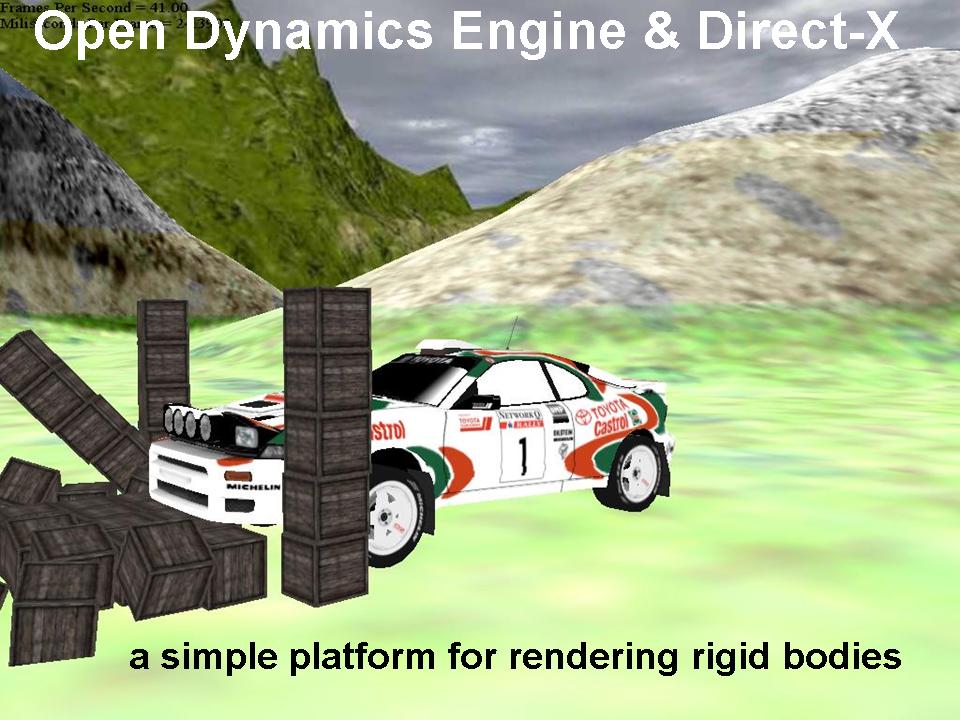
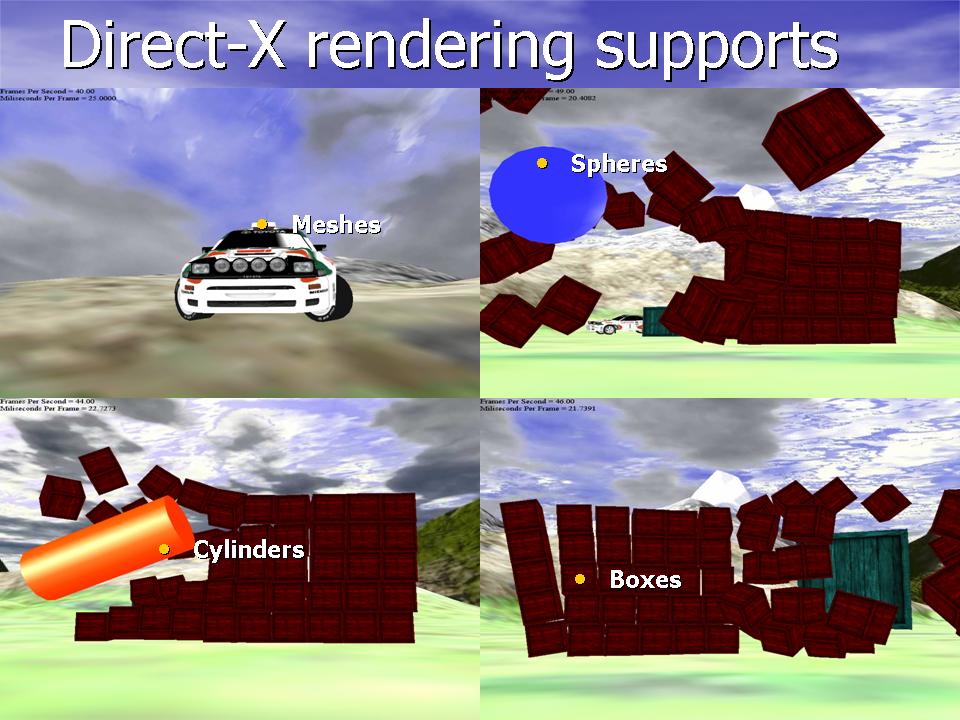
Physics engines are excellent tools that enable you to simulate Newtonian physics with good approximation of various parameters such as friction, slippage, collisions, mass, velocities etc. These physics engines can be used together with any rendering system whether it is OpenGL or DirectX. For this purpose, I have created two sandboxes, one for OpenGL and one for DirectX that already come integrated with Open Dynamics Engine and provide basic methods to create your own objects (primitives and triangle meshes). These two sandboxes are useful tools for anybody who is trying to develop physics based applications with the rendering of physical objects. You will have full control over the rendering so you can experiment a lot with the code. The sandboxes might be also interesting to final year computing students looking to develop physics based simulations or games.
Installation
Download – ODE-OpenGL & ODE-DirectX
Both sandboxes need ODE to run, which you will need to install if the supplied libs do not work on Windows. ODE-DirectX sandbox will only work on windows and ODE-OpenGL sandbox will work on both, however, I have never tested it on Linux and you might have to install libsdl as well. ODE-OpenGL should run with the supplied libraries but if it does not then you might need to get the latest SDL libraries too. In any case, if you get stuck try to contact me.
 |
 |