Introduction
Aquila is an open-source project that was inspired by the recent advancements in supercomputing making use of GPU enabled devices such as the NVidia Fermi cards resulting in a dramatic performance increase, which is nowadays a crucial aspect of any software running complex tasks.
Most Aquila's features are implemented for both the standard CPU as well as massively parallel GPU processors. The current version features these modules, most of which can run on iCub robot as well as the iCubSimulator.
Terminal – monitors the system and provides the following interfaces:
| Face Expressions | – both low and hi-level interfaces |
| Zero Force Control | – manages zero-force-control and its parameters |
| Connection Mode Monitor | – visualises current connection mode of all joints |
| Application Launcher | – launches external application |
Sequence Recorder – lets you record any sequence and save it in either XML file or in TXT file format, structure of which can be fully customised from the interface. This module also provides a way to: convert TXT back to XML file, set recording time and display countdown timer, move any joint to a position, record particular joints only, set and load home position from a file, replay previously recorded sequences, calculate force-torque sensors equilibrium at a home position and switch to compliance mode once the equilibrium was disrupted so that it is possible to move to robot’s limbs (starting from a specific position) while recording.
ESN Kinematics – trains echo state networks and controls the robot.
Modi Experiment – runs attention system, speech module and provides a simple way to demonstrate the modi experiment.
U-Shaped Curves in Development – trains and visualises multiple self-organising maps that are connected by Hebian weights. This biologically inspired model provides one explanation of why children are better at recognising phonemes when they are 8months old then their performance gets worse before it improves again later.
Multiple Time Scales Recurrent Neural Network – trains complex continuous time recurrent neural networks interlinked with self-organising maps using the backpropagation through time algorithm. This module has few sub-modules that let you run the training, visualise the progress and save the results (plot image, plot data and neural network file) and also load this data and run in on the iCub or its simulator while working together with a speech recognition software (Julius).
Self Organising Maps – trains, saves, loads and visualises self organising maps while providing a simple way to change various parameters such as the number of iterations, learning rate, number of units, scaling method, inputs to be mapped in 3D space etc.
CUDA – display information about the CUDA-capable devices on your system.
Detailed Overview
This section provides a detailed overview of all the modules currently present in Aquila and where necessary also step-by-step instructions on how to use them.
2.1 Terminal
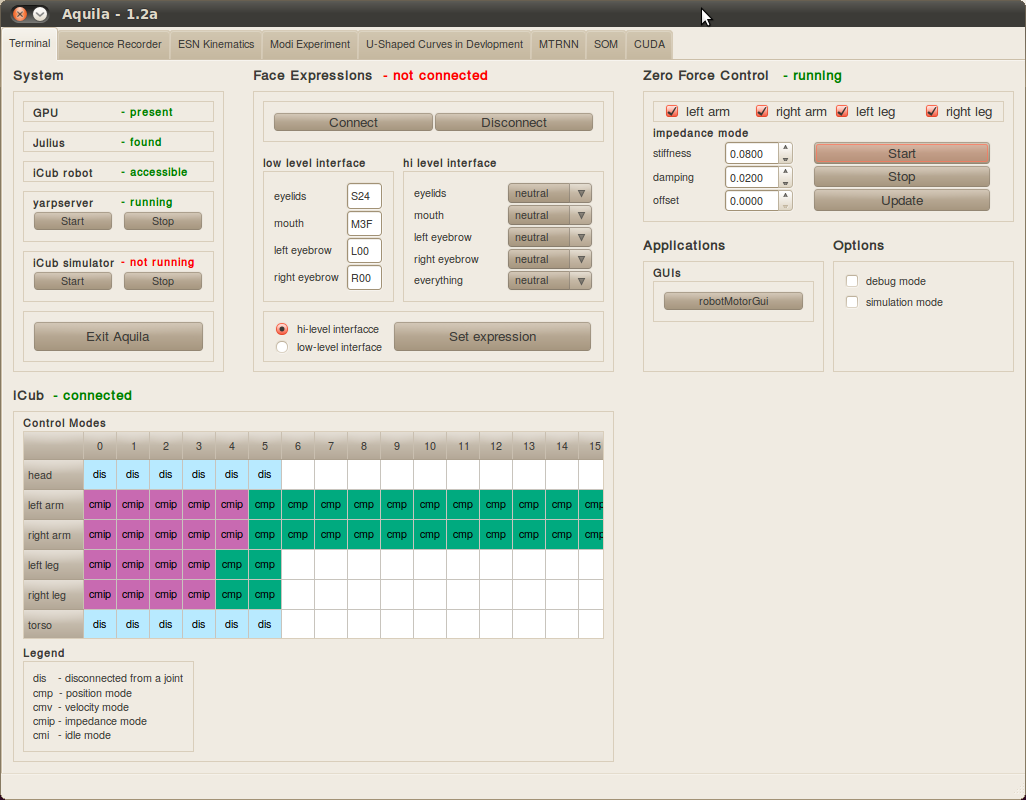
The picture below shows the terminal tab, which contains all the modules providing various interfaces to the iCub robot or its simulator. Terminal also enables you to change hi-level settings for Aquila, for example changing from simulator to robot mode or enabling debugging mode.
Terminal has the following sub-modules: System, Face Expressions, Zero Force Control, iCub, Applications and Options, which are shown on the picture below.
2.1.1 System
The System module displays relevant information about the external systems that Aquila interacts with. Currently Aquila shows status messages about the presence of GPU devices, Julius speech recognition system, YARP server, iCub robot and its simulator and lets you start or stop these where appropriate.
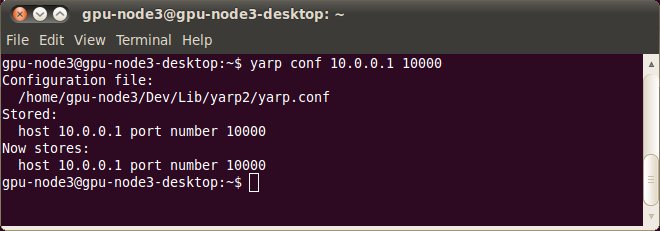
It is not a problem if your system does not have any GPU devices in which case the CPU mode is used instead. Aquila checks for the presence of yarpserver on your network, which is required to communicate with iCub or the simulator. In case the server was not found then it is possible to start it from the interface in which case a local server will start running in the background. If you cannot connect to iCub type yarp where into terminal and make sure that the returned IP address and port number matches to that of your server settings. If it does not type yarp conf –clean, which will clean the yarp configuration file on your computer. Then type yarp conf your_IP your_PORT so in our case I would do yarp conf 10.0.0.1 10000, which would give me the following output on the left:
 | |
To make sure that the server is visible on the specified IP address and port number type yarp where into terminal and you should see something similar to what is in top right picture.
Aquila should say that iCub is accessible if the yarpserver is configured properly and pc104 is connected to the same sever as specified in your configuration file. It is not an issue if yarpsever is not running if you are using modules that do not require it and the same applies to the simulator and Julius.
The system also checks for the presence of /pc104 port to determine whether iCub robot is accessible or not and modifies interface accessibility accordingly. For example if the /pc104 port is not found Aquila will automatically default to the simulation mode and disable features not available in this mode. One such example is shown in the screen-shot below.

p { margin-bottom: 0.08in; }
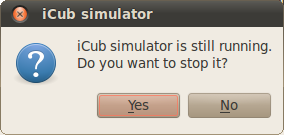
In a similar way, the system checks for /icubSim/world to find out if the simulator is running or not. If it is not running you can simply start it from the interface providing iCub_SIM executable is in $ICUB_DIR/build/bin directory where $ICUB_DIR should be in the $ICUB_ROOT/main directory. Once the simulator is running it can be simply closed from the interface.
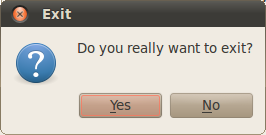
The Exit button will check if there are any systems running and will ask you if you want to disconnect them before closing Aquila. One such example is shown below.
 | |  |